The term going viral
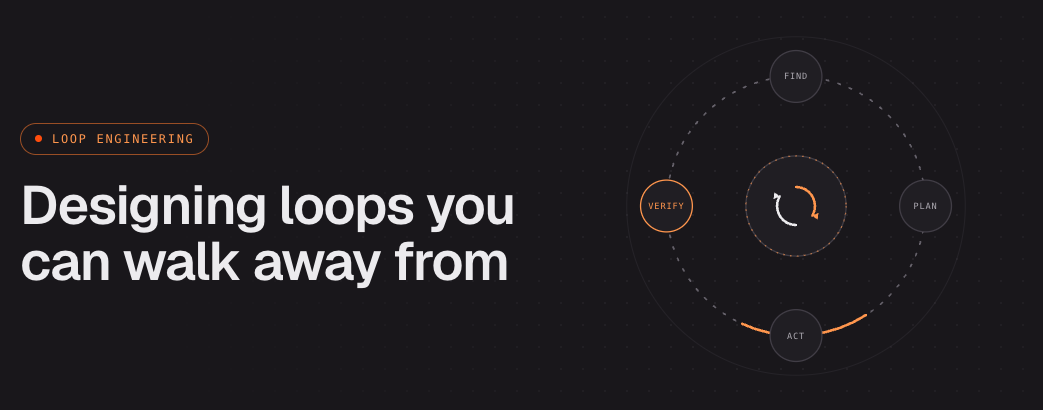
The engineering world has a new term for us, and it's going viral on X right now: loop engineering. The pitch is simple — stop prompting your coding agents by hand, and start building loops that run them for you, autonomously, while you go do something else (maybe write the next loop).
@steipete (creator of OpenClaw) kicked off the debate, and @bcherny (Head of Claude Code) famously quoted:
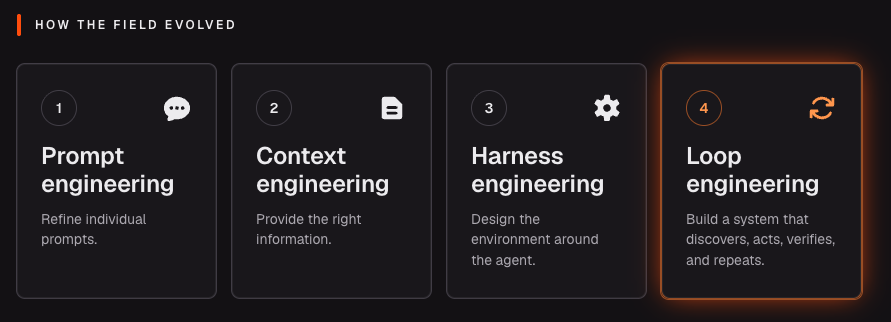
Take a second to appreciate how fast we got here. Prompt engineering took off in early 2023. From there we moved to managing context, then to harness engineering, which only really caught on late in 2025. People had barely finished calling 2026 "the year of agent harnesses" before the conversation shifted again.
Where it all started
The idea isn't even new. Back in January, @GeoffreyHuntley was already planting the flag with what he calls the ralph loop — feed an agent the same goal over and over, let it run for hours, and have it find, plan, and resolve the work on its own with nobody in the seat. The progress doesn't live in the model's context; it lives in files and git history and other memory management (memory management therefore also becomes the main challenge), so when the context fills up, a fresh agent picks up right where the last one dropped off. All of this he did with a simple bash script.
Anthropic published the same shape from the research side a couple of months earlier: an agent working in shifts, each one showing up with no memory of the last, leaning on notes left on disk to carry on.
What does a loop look like?
In a way this is the real paradigm shift. Prompt engineering, context engineering, harness engineering: in every one of them you were still hands-on, still talking to the agent and taking the next turn yourself. Loop engineering removes you from that entirely. You design a system that runs without being prompted, with no human in the loop at all.
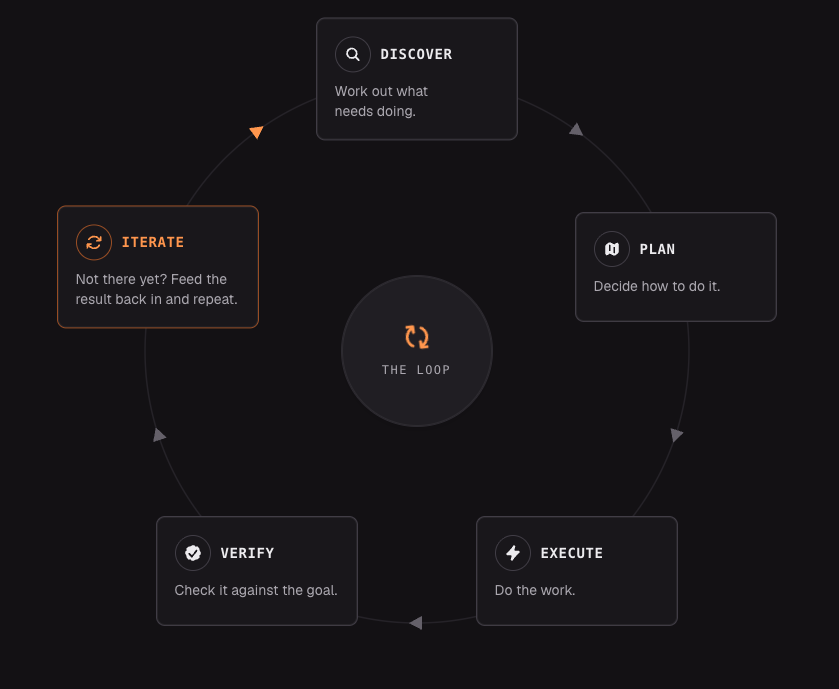
A prompt is a single instruction. A loop is a goal the AI keeps working at until it gets there — a recursive goal: you set the purpose once and let it run. The difference is who's driving. A prompt gives you one answer and then waits for your next move. A loop runs the whole circuit on its own, until the goal is actually met.
The primitives you need
For the actual architecture, the cleanest carve-up going around is @addyosmani's: five building blocks, plus one place to remember things. The names shift a little between tools, but the capability is the same either way.
- Automations — the heartbeat. Something on a schedule that hunts down work and triages it before you've had your coffee.
- Worktrees — isolation. Parallel agents each in their own checkout, so two of them can't overwrite each other's files.
- Skills — your project's knowledge written down once: conventions, build steps, the hard-won "don't do it this way" notes, so the agent stops re-guessing every session.
- Plugins and connectors — built on MCP, this is how the loop reaches past the filesystem into the tools you actually use: the issue tracker, the database, staging, Slack.
- Sub-agents — the maker/checker split. The model that wrote the code isn't the one that grades it, because it's a soft grader of its own work.
- State — the sixth piece, and the easy one to underrate: memory on disk. A file or a Linear board that tracks what's done and what's next, because the model resets between runs even when the repo doesn't.
How do you design a successful loop?
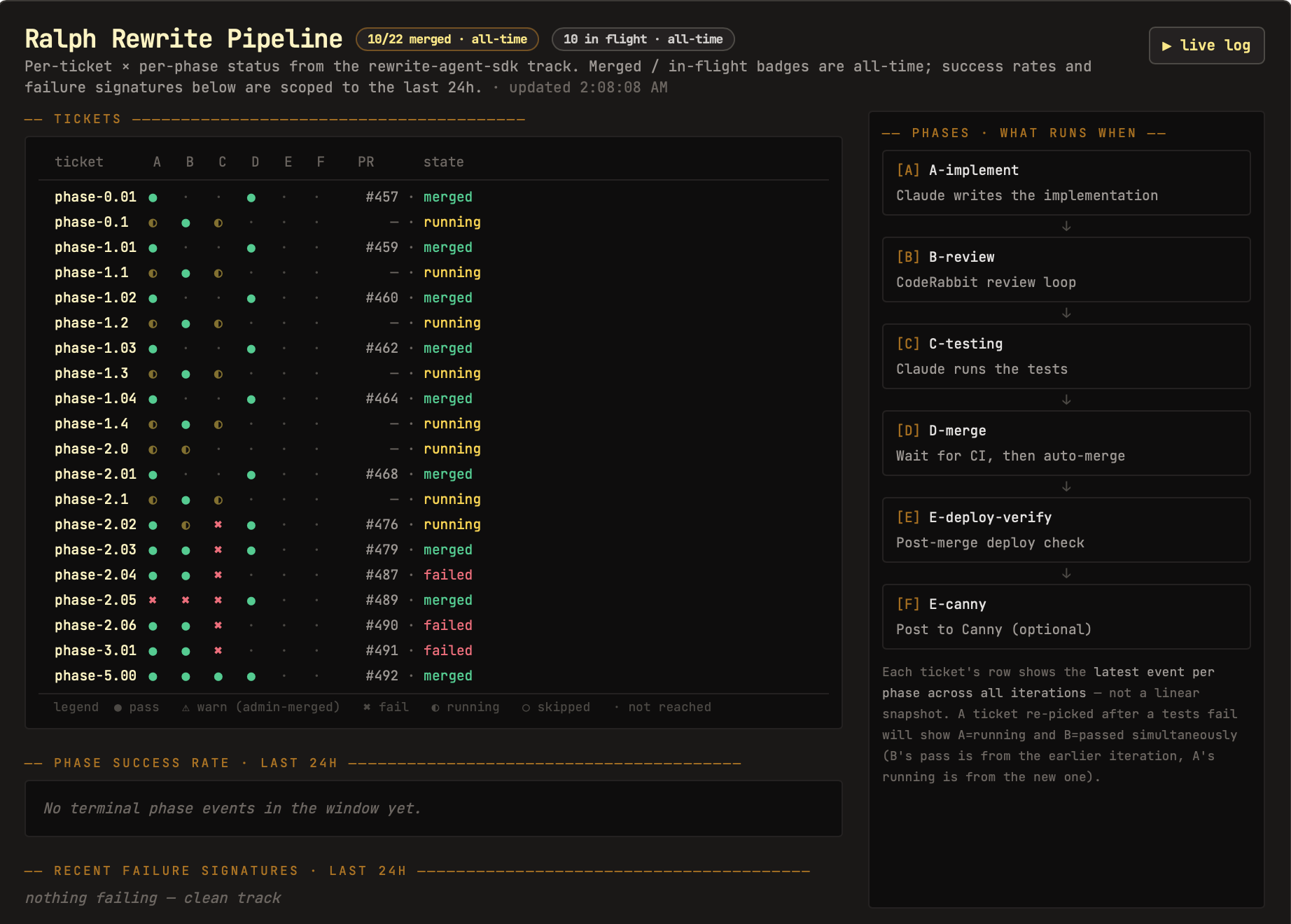
Back in February I wired up a loop for a personal project, mostly to see how far it could run without me. It started from real user feedback: the loop pulled in new requests, triaged them, and drafted a plan for each one worth doing. From there Claude wrote the implementation, CodeRabbit reviewed it in a loop until the diff came back clean, and Claude ran the tests. If everything held, the loop waited for CI, merged on its own, and then re-verified the result with a post-merge deploy check. My whole job was deciding what "worth doing" meant and reading what came out the other end. I designed it once, and it kept shipping.
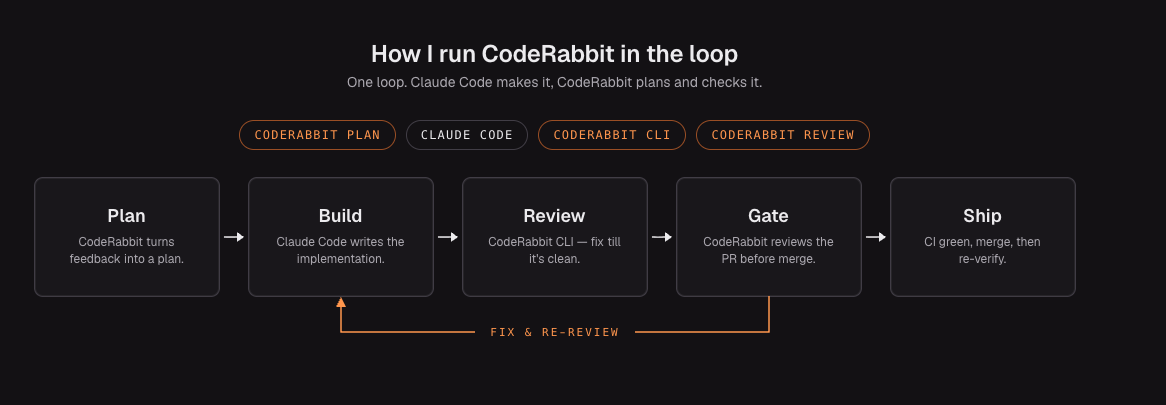
What actually made it hold together was boring, and that's the point. The whole thing ran off one scheduled job and a state file: a plain markdown log of what shipped, what failed, and what was still open, so each run resumed instead of starting cold. The project's conventions lived in a skill the agents read every pass, so nobody re-derived the setup from scratch. And the part that let me leave it alone was the gate. Nothing merged unless the tests passed and @coderabbitai's review came back clean, which meant "done" was a signal I could trust, not Claude's opinion of its own work. I kept it on small, checkable changes, the kind a careful junior could ship from a ticket, and left anything that needed real judgment for myself. The loop didn't make those calls. It just made the calls I'd already encoded, over and over, without me.
On the CodeRabbit side it was three pieces working with Claude Code: the planning agent turned raw feedback into a coding plan, the CLI ran reviews right inside the loop so Claude could fix findings before anything became a PR, and the review product was the final gate on the PR itself.
When (and when not) to build a loop
Before you build one, ask whether the task is even worth it. Loops reward a stable target: rewrite a codebase and the goal holds still, so one verifier (does it build, do the tests pass, does behavior still match) carries every iteration, written once and reused the whole way. But when the conditions keep shifting, the math flips. If each run needs its own definition of "done," you spend your time rewriting the verifier instead of shipping, and that upkeep eats whatever the loop was supposed to save.
Stable goal, build the loop. Moving target, keep it a manual prompt.
— Hendrik